
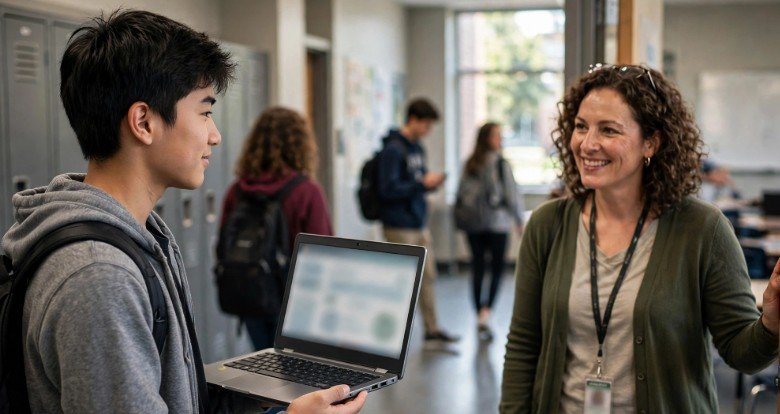
A student asks to use the restroom. The teacher is halfway through explaining an equation. Someone needs a pass, someone else has already been gone for ten minutes, and nobody remembers who borrowed that faded plastic hall-pass card.
That everyday little mess is exactly where Securly Pass wants to step in. Instead of relying on paper slips and memory, the platform moves hallway requests into a digital system where authorized staff can see active passes and manage student movement more consistently.
The idea sounds wonderfully organized if you are a teacher juggling 30 students. From a student’s side, though, a digitally recorded bathroom trip may feel slightly less charming. That tension between convenience, accountability, and privacy makes the technology worth examining carefully.
What Are the Key Takeaways About Securly Pass?
Securly Pass is designed to replace traditional hall-pass workflows with digital requests, approvals, active-pass monitoring, limits, reporting, and other campus movement tools.
Its value is not simply that the pass appears on a screen. The bigger advantage is having one system where authorized staff can see current hallway activity instead of relying on separate handwritten passes.
Digital visibility brings responsibility, though. A successful rollout should include clear expectations for students, sensible exceptions, staff training, technical backup plans, and transparent privacy practices.
Why Is Securly Pass Replacing the Old Paper Hall Pass?
Securly Pass solves one very basic problem: paper is terrible at providing school-wide information. A physical pass tells whoever sees it that one student received permission, but it cannot instantly tell administrators what is happening across the rest of the campus.
A digital system can centralize those requests. Students select destinations, teachers approve movement according to school rules, and authorized staff can review current pass activity without chasing down paper records.
That real-time organization is one reason digital hall passes are becoming more common in schools where administrators want greater visibility into hallway movement.
How Does Securly Pass Change the Student Experience?
Securly Pass makes leaving class a little more formal. Instead of quietly asking the teacher and walking out with a clipboard, students generally create a digital request, choose their destination, and follow the school’s approval process.
For students who already carry Chromebooks or laptops throughout the day, the workflow may feel fairly ordinary.
Students already working through web-based school tools may find the experience familiar, especially when using Leaf Browser for everyday web browsing.
It becomes another small task completed through a school account.
Schools without a device-in-every-hand policy can still use staff-created or shared-device workflows. That can prevent technology access from becoming the deciding factor in whether a student is allowed to leave class.
Why Do Teachers Like Securly Passes?
Securly Pass can remove a surprising amount of tiny administrative friction. Teachers do not need to remember which student has the plastic pass, decode handwriting later, or maintain separate paper logs.
Administrators gain a broader view. Digital reporting can help identify pass volume, unusually long trips, busy destinations, and recurring student movement patterns.
That data can be useful when used thoughtfully. If one location consistently attracts large numbers of students during a particular period, the school can investigate what is actually happening rather than immediately assuming individual students are the problem.
Can Securly Pass Reduce Lost Instructional Time?
Securly Pass gives schools a way to set rules and identify patterns involving excessive or unusually long trips. That can help administrators deal with repeated classroom absences without expecting every teacher to keep private records.
The real benefit depends heavily on implementation. A quick digital process may reduce classroom disruption because teachers can approve requests without stopping instruction for a long conversation.
A complicated approval routine can produce the opposite result. If teachers and students spend several minutes fighting with logins, Wi-Fi, or confusing settings, the technology becomes another source of lost instructional time.
Is Securly Pass a Safety Tool or Just Attendance Technology?
Securly Pass sits somewhere between classroom management and campus safety technology. The platform gives authorized staff a current view of students who have active passes, which can provide useful context when administrators need to know who may be outside assigned classrooms.
However, schools should avoid treating any single software platform as a complete safety system. Effective school safety still depends on communication, emergency planning, physical security, supervision, trained staff, and relationships with students.
Digital movement information works best as one supporting layer rather than the foundation of an entire emergency plan.
Should Parents Worry About Securly Pass Tracking?
That is a fair question. Securly Pass records information connected to student movement and digital requests, so families are reasonable to ask what happens to that data.
One way schools can evaluate these systems is by comparing their policies with established education privacy and security practices.
Google for Education provides extensive information about protecting school accounts, educational data, authentication, and privacy.
Schools should also consider the broader cybersecurity environment surrounding student accounts and connected devices.
Microsoft’s guidance on cybersecurity solutions for schools offers useful context for protecting educational systems against account compromise, phishing, malware, and other digital risks.
Privacy is not only about stopping hackers, either. Administrators should think carefully about how much information they actually need.
The NIST Privacy Framework provides a structured approach for identifying and managing privacy risks when organizations collect and use personal data.
The key question should not be “Can we collect this?” It should also be “Do we genuinely need it?”
What Makes Securly Pass Different From Using a Basic Online Form?
A school could technically create a basic hall-pass request using forms, spreadsheets, QR codes, or other inexpensive tools. For a small campus with simple needs, that might even work.
A dedicated platform becomes more useful when schools need simultaneous pass management, restrictions, destination controls, reporting, staff-created passes, shared kiosks, and integrated student accounts.
| School Need | Basic DIY System | Securly Pass |
| Simple pass request | Good | Good |
| Live campus overview | Limited | Strong |
| Automated limits | Difficult | Available |
| Student account management | Mostly manual | Designed for schools |
| Detailed reporting | Requires setup | Integrated |
| Staff training | Lower | Higher |
| Technology dependency | Moderate | Higher |
The more complex the campus becomes, the more centralized features begin to matter.
Still, schools should avoid adopting sophisticated technology simply because it looks impressive. The software needs to solve a real operational problem.
How Do You Use Securly Pass Without Making It a Headache?
Step 1: How Should Schools Introduce Securly Pass?
Before students touch Securly Pass, staff should explain why the school is adopting it. “Because we said so” is rarely the finest technology onboarding strategy.
Students should understand when passes are required, how approvals work, what happens during emergencies, and what exceptions exist for health or accessibility needs.
Parents should also receive enough information to understand how the system fits into the school’s broader technology and privacy policies.
Step 2: How Should Students Create a Pass?
Students sign in using their school’s configured authentication method, select the correct destination, and submit a request according to campus rules.
They should wait for approval when approval is required. Using another person’s account, choosing false destinations, or attempting to manipulate pass activity makes the system less reliable.
The process should take seconds, not become a complicated digital ritual every time someone needs the restroom.
Step 3: How Should Teachers Manage Requests?
Teachers should process requests consistently without turning every hallway trip into a courtroom hearing.
Fast, predictable routines make the technology much less disruptive. Students quickly learn what is expected, while teachers can maintain classroom flow.
Schools should also establish an alternative process for situations when devices, accounts, or internet access are unavailable.
Step 4: How Should Schools Review Pass Data?
Pass data should be used to identify meaningful patterns rather than micromanage every ordinary student movement.
Administrators should consider context before acting on statistics. A student with frequent medical needs is very different from a student intentionally spending half of every class period wandering the building.
Data should start a conversation when necessary, not automatically become the final verdict.
What Could Go Wrong With Securly Pass?
Technology can fail at impressively inconvenient moments. Devices run out of battery. Wi-Fi disappears. Login synchronization breaks. Browser tabs freeze precisely when someone desperately needs a bathroom.
There is also the risk of over-management. A tool designed for accountability can become unnecessarily restrictive if schools create inflexible quotas without considering medical needs, disabilities, menstruation, emergencies, anxiety, or other legitimate circumstances.
Students may also resist the platform if administrators fail to explain its purpose. Transparency can make a major difference between students seeing the system as reasonable organization and viewing it as unnecessary surveillance.
Frequently Asked Questions
1. Is Securly Pass basically a digital hall pass?
Yes. Securly Pass replaces much of the traditional paper hall-pass process with digital requests, approvals, monitoring, and record keeping.
2. Do students always need a laptop to use it?
Not necessarily. Schools may configure staff-created passes or use shared devices in designated areas.
3. Can schools limit how many passes students receive?
Digital hall-pass systems can be configured to control or monitor pass usage according to school policies.
4. Is student information safe?
No digital platform is completely risk-free, which is why school cybersecurity, access controls, privacy policies, and staff training matter.
So, Is Securly Pass Brilliantly Organized or Giving Big Hall-Monitor Energy?
Securly Pass is probably most valuable when a school has a genuine hallway-management problem that paper passes can no longer handle. Real-time visibility, digital records, reporting, and centralized controls can turn a messy process into something far easier to manage.
But software should make school life smoother, not make students feel as though every three-minute restroom trip deserves a federal investigation. Transparency and flexibility matter just as much as the dashboard.
My favorite rule for school technology is simple: make the boring administrative stuff easier while keeping humans in charge of human situations. Do that, and a digital hall pass can be surprisingly useful. Forget that, and even clever technology becomes one more thing everyone wants to avoid.