
Great design used to require expensive software, hours of training, and a level of patience most non-designers simply don’t have. Today, the landscape looks very different—and Kittl is one of the platforms leading that change.
By combining an intuitive browser-based interface with professional-grade tools, Kittl makes it possible for anyone to turn an idea into a polished design in minutes, not days.
Whether you’re a small business owner, a creator, a student, or simply someone who wants better-looking visuals, Kittl bridges the gap between concept and creation with stunning efficiency.
In this article, I’ll break down exactly how it works, why it’s different from other design tools, and how you can use it to produce professional-quality graphics without the steep learning curve.
Why Kittl Is Changing the Design Game
Kittl was built around one simple mission: make high-quality design accessible to everyone. Unlike traditional design programs that demand technical training, Kittl focuses on usability without sacrificing creative freedom. The platform uses advanced typography tools, AI-powered automation, and drag-and-drop editing to empower users at every skill level.
This means you don’t have to understand vector paths, bezier curves, or typography rules to create graphics that look like they came from a professional designer. Kittl handles the complexity, leaving you free to focus on creativity.
A Quick Comparison: Kittl vs Other Design Platforms
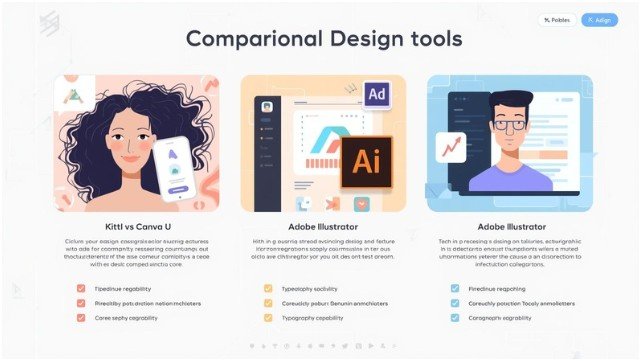
To understand Kittl’s strengths, it helps to compare it with platforms people commonly use.
| Feature | Kittl | Canva | Adobe Illustrator |
| Ease of Use | Very easy | Easy | Complex; steep learning curve |
| Browser-Based | Yes | Yes | No |
| Advanced Typography Tools | Excellent; best-in-class | Basic | Excellent but complex |
| AI Tools | Strong integrated suite | Growing but limited | Limited native AI; plugins needed |
| Vector Editing | Simple and intuitive | Limited | Professional-level but advanced |
| Mockup Generator | Built-in and realistic | Requires external apps/templates | None built-in |
| Best For | Branding, merch, logos, artwork, posters | General content creation | Professional vector design |
Kittl sits comfortably in the middle ground—more powerful than Canva but far easier than Illustrator. It’s the sweet spot for creators, entrepreneurs, and designers alike.
Thousands of Professional Templates Ready to Customize
One of Kittl’s biggest advantages is its extensive library of professional templates. Instead of starting from a blank canvas, you can jump-start your project with layouts crafted by experienced designers.
These templates include:
- Logos
- Posters
- Social media graphics
- T-shirt designs
- Vintage badges
- Packaging layouts
- Product mockups
- Event flyers
Every template is fully customizable. Change the text, adjust the color scheme, swap icons, or rework the layout completely. Because everything is vector-based, you never lose quality—even at large print sizes.
For beginners, this is a creative springboard. For professionals, it’s a major time-saver.
Advanced Typography Tools That Feel Effortless

Typography is often where beginners struggle most. Choosing fonts, spacing them correctly, and adding effects can be overwhelming in traditional design programs.
Kittl solves this with intelligent text editing features that work beautifully in just a few clicks.
With Kittl, you can:
- Curve, arch, or warp text
- Add shadows, outlines, and decorative layers
- Adjust spacing and style automatically
- Apply vintage, retro, and 3D text effects
- Build complex layouts with simple sliders
The controls are visual and intuitive, so you know exactly what your text will look like as you edit it. These tools rival Illustrator in power but require far less expertise.
AI Tools That Speed Up Your Creative Workflow
Kittl integrates several AI-powered features that dramatically accelerate the design process. These tools do the heavy lifting so you can focus on the creative decisions.
AI image generator
Create illustrations, textures, icons, and assets instantly by typing a prompt.
AI vectorizer
Upload any PNG or JPG and convert it into a scalable vector in seconds.
AI background remover
Remove backgrounds with one click—perfect for product images and logos.
AI design generator and restyler
Generate full layouts or apply brand-consistent styles across different formats.
The benefit is speed. What once required multiple programs can now be done in one browser window.
Intuitive Vector Editing for Every Skill Level
Traditional vector editing can be intimidating, especially in professional tools like Illustrator.
Kittl simplifies vector editing by allowing users to:
- Double-click elements to access anchor points
- Drag points and handles to adjust shapes
- Resize and recolor vectors with ease
- Combine elements effortlessly
You get genuine vector-editing capability without the technical complexity. It’s approachable for beginners and efficient for seasoned designers.
Realistic Mockups Built Directly Into the Platform

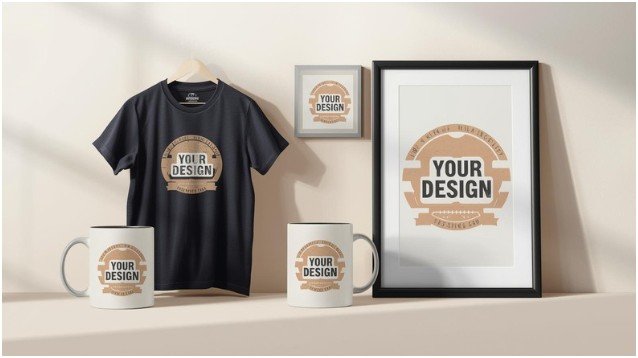
Mockups help you visualize how your design will look in real life—on a T-shirt, mug, book cover, poster, or product label.
Kittl includes a built-in mockup generator, allowing you to:
- Place your design directly on realistic product photos
- Adjust lighting and positioning
- Export high-resolution mockups for marketing or client previews
You don’t need external tools like Photoshop or expensive mockup marketplaces. It’s all inside the platform, ready to use.
Brand Kits and Collaboration for Teams
For businesses or creators building a brand, consistency is everything.
Kittl’s brand kit tools allow you to:
- Store fonts, logos, and brand colors
- Save reusable assets
- Maintain coherence across every design
Teams can collaborate directly on shared projects, add comments, and work together in real time. This makes Kittl especially valuable for marketing teams, agencies, and creators managing multiple clients.
Who Can Benefit Most From Kittl?
While Kittl works for anyone, certain groups benefit the most:
Entrepreneurs and small businesses
Create logos, marketing materials, and brand assets without hiring a designer.
Content creators
Design thumbnails, social media graphics, banners, and merch.
Print-on-demand sellers
Make T-shirt designs, posters, stickers, and mockups quickly.
Freelancers and designers
Accelerate workflow with templates, AI-powered tools, and typography controls.
Students and hobbyists
Get professional results without needing technical training.
The platform’s flexibility makes it suitable for quick projects and full-scale branding alike.
Tips for Getting the Most Out of Kittl
Here are a few ways to streamline your process and maximize results:
- Start with a template for faster layout creation
- Use the AI generator to ideate different design styles
- Rely on brand kits to maintain consistency
- Experiment with text effects—they’re one of Kittl’s strongest features
- Use mockups early to see how your design translates onto products
Kittl works best when you blend its ready-made elements with your own creativity.
FAQs
1. Is Kittl good for beginners?
Yes. Kittl’s interface is designed for beginners while still offering professional-level features that advanced users appreciate.
2. Can Kittl replace Adobe Illustrator?
For many users, yes. If you need easy vector editing, typography tools, and mockups without complex training, Kittl is a strong alternative.
3. Does Kittl support print-on-demand businesses?
Absolutely. Kittl includes merch templates, vector tools, and realistic mockups that are ideal for POD sellers.
4. Are the AI tools free to use?
Kittl offers basic features for free, but AI-powered tools may require a paid plan depending on usage.
Final Thoughts
Kittl makes professional design accessible in a way that few other platforms do. It blends the ease of a beginner-friendly editor with the power of a full design suite, allowing anyone to turn an idea into a polished creation effortlessly.
From templates and AI tools to typography, vectors, and mockups, it removes the friction between concept and creation.
If you want to create standout visuals without complicated software, Kittl is one of the most efficient and enjoyable tools you can use today.